
About Mac Observatory
One backyard, one Mac, and a question nobody was answering.
I have been fascinated by space for as long as I can remember. As a kid in Houston, I joined the Young Astronauts Club at the Museum of Natural Science, went to Space Camp, and even worked at NASA while studying graphic design at the University of Houston. That design career introduced me to my first Mac — and they have been at the center of my work ever since, both professionally and in my passion for astrophotography.
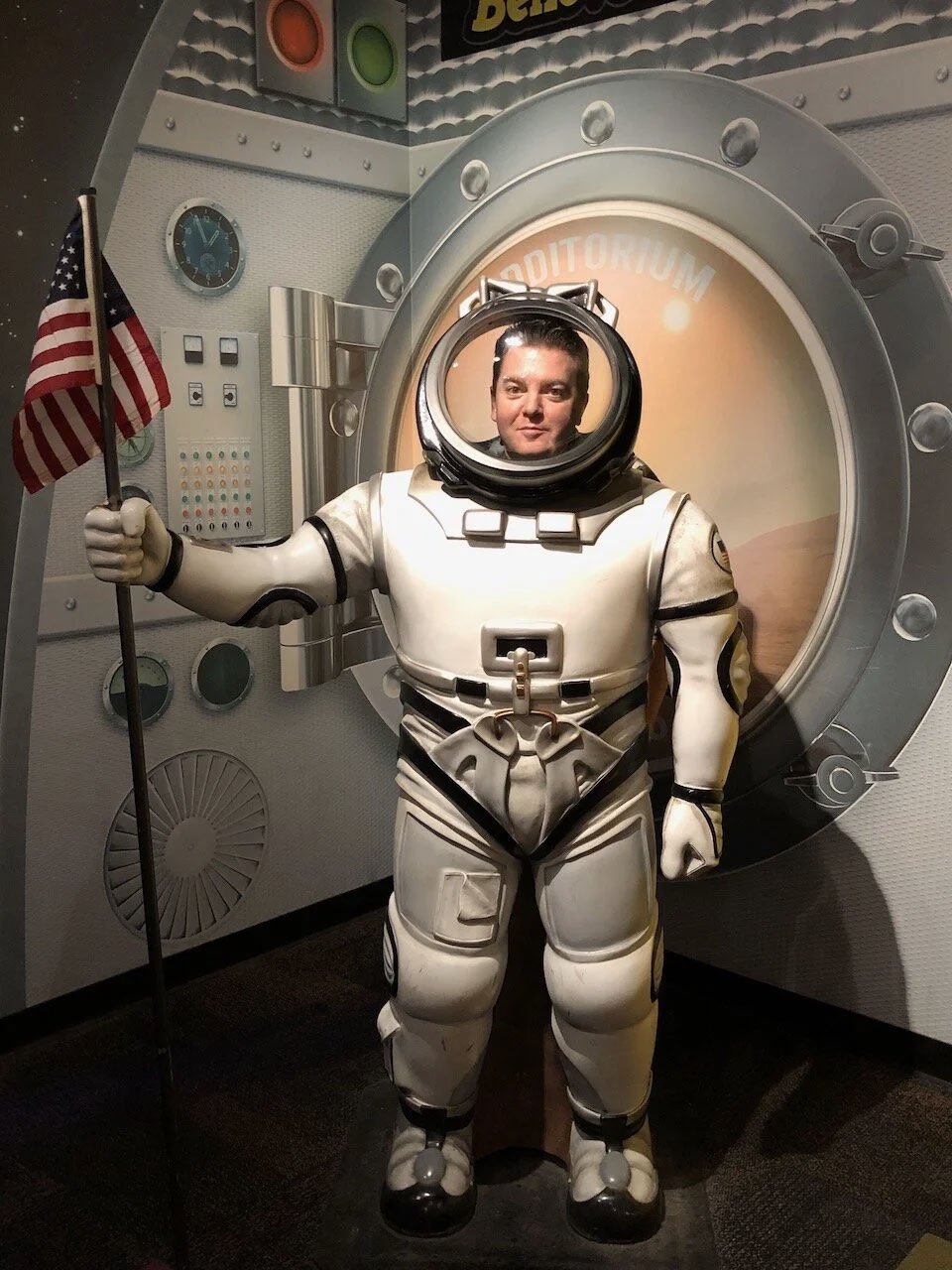
Yours truly…not an actual astronaut, and not an actual space suit.
The Mac has been my constant through two decades of creative and digital strategy work: art directing gaming magazines like XBOX Nation, Electronic Gaming Monthly, and Computer Gaming World, then leading creative direction and web strategy at SLB, one of the world's largest energy technology companies. Every project, every pixel, every deliverable — all on a Mac. So when I pointed a telescope at the sky for the first time and wanted to photograph what I saw, there was never a question about what platform I'd use. The question was whether the platform would cooperate.
About ten years ago, I bought my first telescope and started experimenting in my backyard in Houston — Bortle 9, the most light-polluted skies you can image under. I tethered a DSLR to my 2015 MacBook Pro and captured whatever I could point it at. Those first images were not perfect, but they lit a fire in me. They proved you do not need NASA's equipment to photograph nebulas, galaxies, and planets.
From Bortle 9 to Bortle 1
Those early backyard sessions taught me two things. First, that astrophotography is an incredibly rewarding pursuit — there is nothing quite like pulling detail out of an object thousands of light-years away using equipment you set up yourself. Second, that light pollution is a formidable enemy. From my Houston backyard, I was fighting the glow of 7 million people to capture faint nebulae that were barely registering on my sensor.
That fight eventually led me 1,500 miles west to Animas, New Mexico, and a remote telescope hosting facility called DSP Remote. Today, I operate a Takahashi TOA-130NFB refractor paired with a ZWO ASI6200MM-Pro camera and Chroma narrowband filters under some of the darkest skies in North America — Bortle 1. I control the entire system remotely from Houston using N.I.N.A. imaging software, connecting from my Mac Studio, MacBook Air, or even my iPad while traveling.
I also maintain a planetary imaging setup closer to home, using a Celestron EdgeHD 11" and ZWO ASI cameras for high-frame-rate capture of Jupiter, Saturn, Mars, and the Moon. Planetary and deep sky imaging are different disciplines with different workflows, different software, and different challenges — but they both run entirely on the Mac.
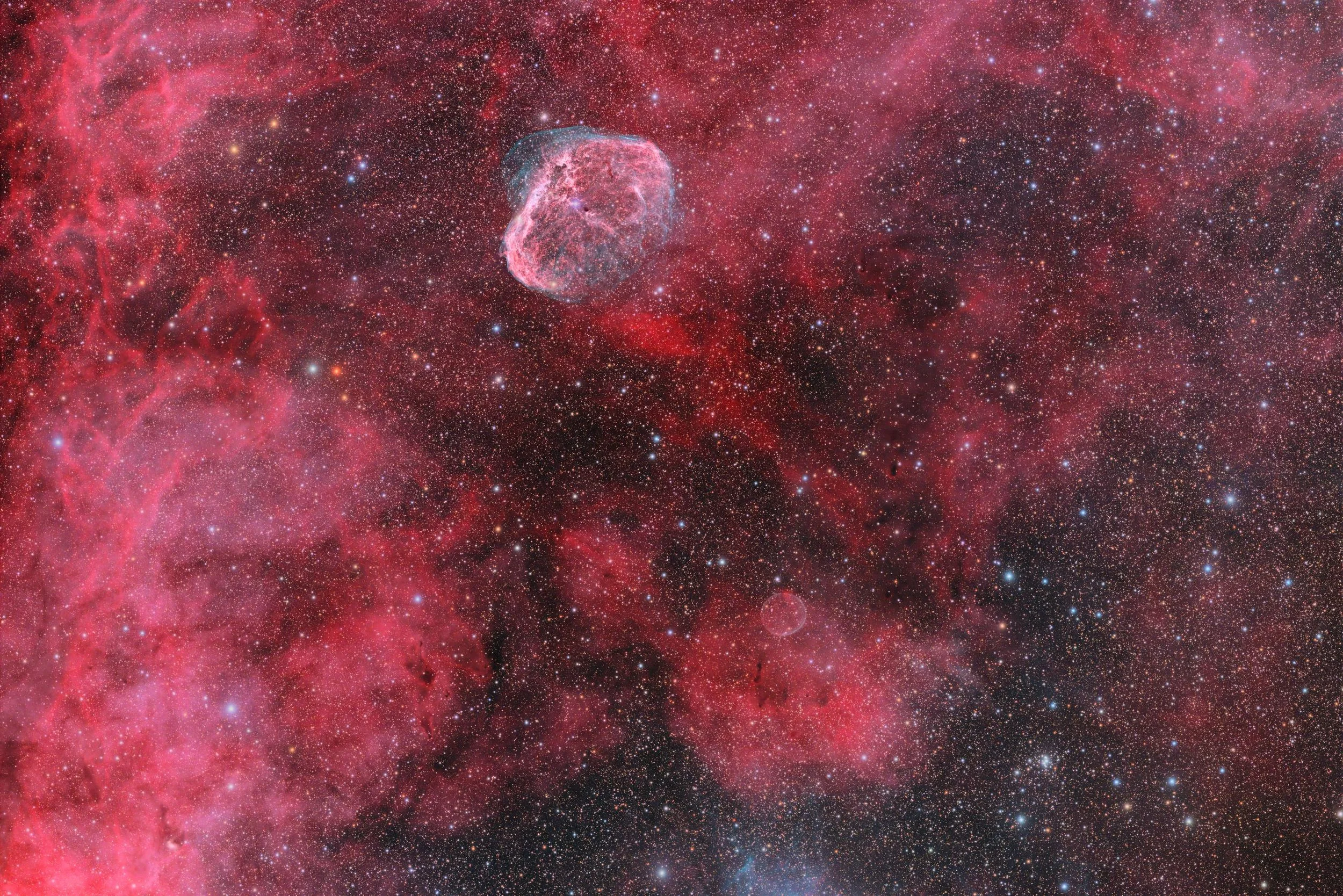
One of my favorite captures is the Crescent Nebula (NGC 6888), which I photographed from my backyard using narrowband filters to reveal its intricate structure. Often nicknamed the "space brain" for its uncanny shape, the Crescent Nebula is an emission nebula about 5,000 light-years away in Cygnus. It is formed by powerful stellar winds from a massive Wolf-Rayet star slamming into shells of gas ejected thousands of years earlier, creating glowing shock waves that even emit X-rays. Imaging it means capturing a snapshot of stellar evolution — the final act of a massive star before a probable supernova. That image required over 20 hours of total exposure across several nights, all controlled and processed on a Mac.
Building the Resource
Early on, I found it frustratingly difficult to locate Mac-compatible astronomy tools. Forum threads were full of "just use Windows" responses. Software directories didn't filter by platform. Developers buried macOS compatibility deep in their documentation — if they mentioned it at all. The information existed, but it was scattered across dozens of forums, developer sites, and Reddit threads, and much of it was out of date.
So I created macobservatory.com, which now hosts the most comprehensive listing of astronomy and astrophotography software for the Mac. What started as a personal reference became a global resource. The site covers everything from capture and guiding software to stacking, processing, plate solving, planetarium programs, and FITS viewers — all verified for macOS compatibility, continuously updated, and independently maintained.
Along the way, the site became more than a directory. I started writing tutorials, publishing equipment deep-dives, and sharing what I learned about making specific hardware and software combinations work on macOS. I run live image processing sessions, help users set up Macs with their astrophotography equipment, and recommend the best software for specific needs. Sharing this knowledge has kept me engaged in the hobby in a way that working alone never could.
Building the Software
After years of reviewing every astronomy app on the Mac, cataloging what existed and what didn't, a pattern became impossible to ignore: the gaps were not shrinking. Planetary capture had no serious native option. Planetary stacking meant running Windows emulators or fighting with Python installations. There was no clean way to manage a deep sky imaging archive on macOS without spreadsheets or folder diving.
So I started building what was missing.
I have no formal coding background. I am a designer who taught himself Swift and SwiftUI because the tools I needed did not exist, and I was tired of waiting for someone else to build them. The Mac Observatory Suite is a family of native macOS apps built from scratch on Apple Silicon — no ports, no wrappers, no Electron shells, no subscriptions.
Laminar handles planetary capture with real-time frame quality analysis, so you know your session is sharp before you stack. Strata replaces the entire Windows planetary processing workflow — AutoStakkert, Registax, PIPP — in one native app with GPU-accelerated stacking. And Meridian reads every FITS header in your imaging folders, resolves objects across 20 catalogs, and builds a searchable visual archive of your work. Two more apps are in active development: a native Mac/iPad/iPhone client for remote observatory control via N.I.N.A., and an all-sky camera companion for monitoring sky conditions.
My Current Setup
My processing workstation is a 2025 Mac Studio with an Apple M3 Ultra chip and 96GB of unified memory, running macOS Tahoe. It is a machine that would have seemed absurd for astrophotography processing even five years ago — a box smaller than a shoebox that handles PixInsight integrations, Astro Pixel Processor stacking, Photoshop refinement, and my own app development work without breaking a sweat. For context, my previous workstation was a 2017 iMac Pro with a Xeon processor, 32GB of RAM, and external RAID storage. The Mac Studio does everything that machine did — and more — in a fraction of the physical space and at several times the speed.
In the field and while traveling, I use a 2025 MacBook Air M4 with 24GB of RAM. It is thin enough to throw in a bag, powerful enough to run planetary capture sessions, and has enough memory to do light processing work on the road. I regularly connect to my remote observatory in New Mexico from the MacBook Air or my iPad, checking sequences, reviewing frames, and adjusting targets from wherever I happen to be.
96 GB Unified Memory
macOS Tahoe 26.3
2025 Model
24 GB Unified Memory
14" Display
2025 Model
The Mac at the Center
Every image I create — whether it is a nebula requiring dozens of hours of exposure or the fine detail of a distant planet — is captured, processed, and perfected on a Mac. I plan sessions in SkySafari Pro. I control my telescope and camera through KStars/EKOS. I stack and integrate data in PixInsight and Astro Pixel Processor. I refine details and color in Photoshop. And increasingly, I build the tools themselves in Xcode.
For me, the Mac is not just part of my workflow. It is the heart of how I explore and share the universe. Mac Observatory exists because I believe Mac users deserve better than "just use Windows" — and because I intend to keep proving that every step of astrophotography can be done natively, beautifully, and without compromise on the platform we already love.