
Mac Observatory Suite
Meridian
Your deep sky imaging archive — cataloged, visualized, and searchable. Native on Apple Silicon.
Beta requires macOS 14 or newer and an Apple Silicon Mac.
Your imaging archive deserves better than a folder of folders.
After years of imaging, your data is scattered across drives, naming conventions have drifted, and you can't remember if NGC 7331 was shot with the old 8" or the refractor. You're re-imaging targets you forgot you had and missing filter gaps in data you've been building all season.
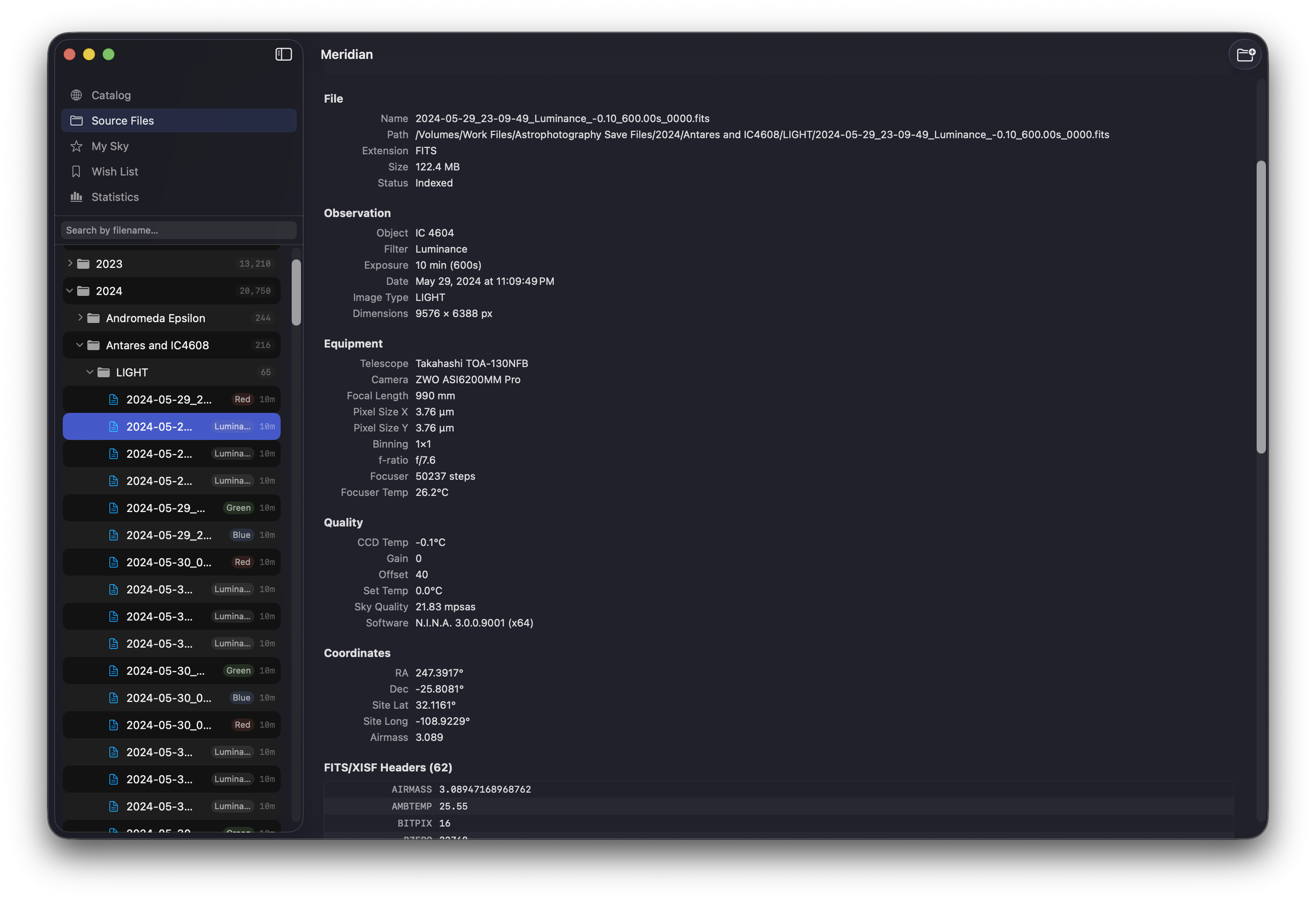
Meridian fixes that. Point it at your folders — it reads every FITS and XISF header, resolves every object name, and builds a searchable catalog of your entire imaging history. With visual thumbnails, integration stats, and equipment tracking. And it never modifies your files.
Object Recognition
41,730 objects across 20 catalogs — resolved automatically.
Whether your FITS header says "NGC 224", "M31", or "Andromeda Galaxy" — Meridian knows it's the same object. A bundled reference database covers everything from bright Messier targets to faint reflection nebulae, dark clouds, and peculiar galaxies.
Handles spacing variations, prefix formats, and cross-catalog aliases. Objects that exist in multiple catalogs are merged automatically — one target, all designations, all your data.
No internet required. No subscription. The entire database ships with the app.
B33 = LDN 1630 · M51 = NGC 5194 = Arp 85
Target Detail
Every target you've ever shot. Everything about it in one place.
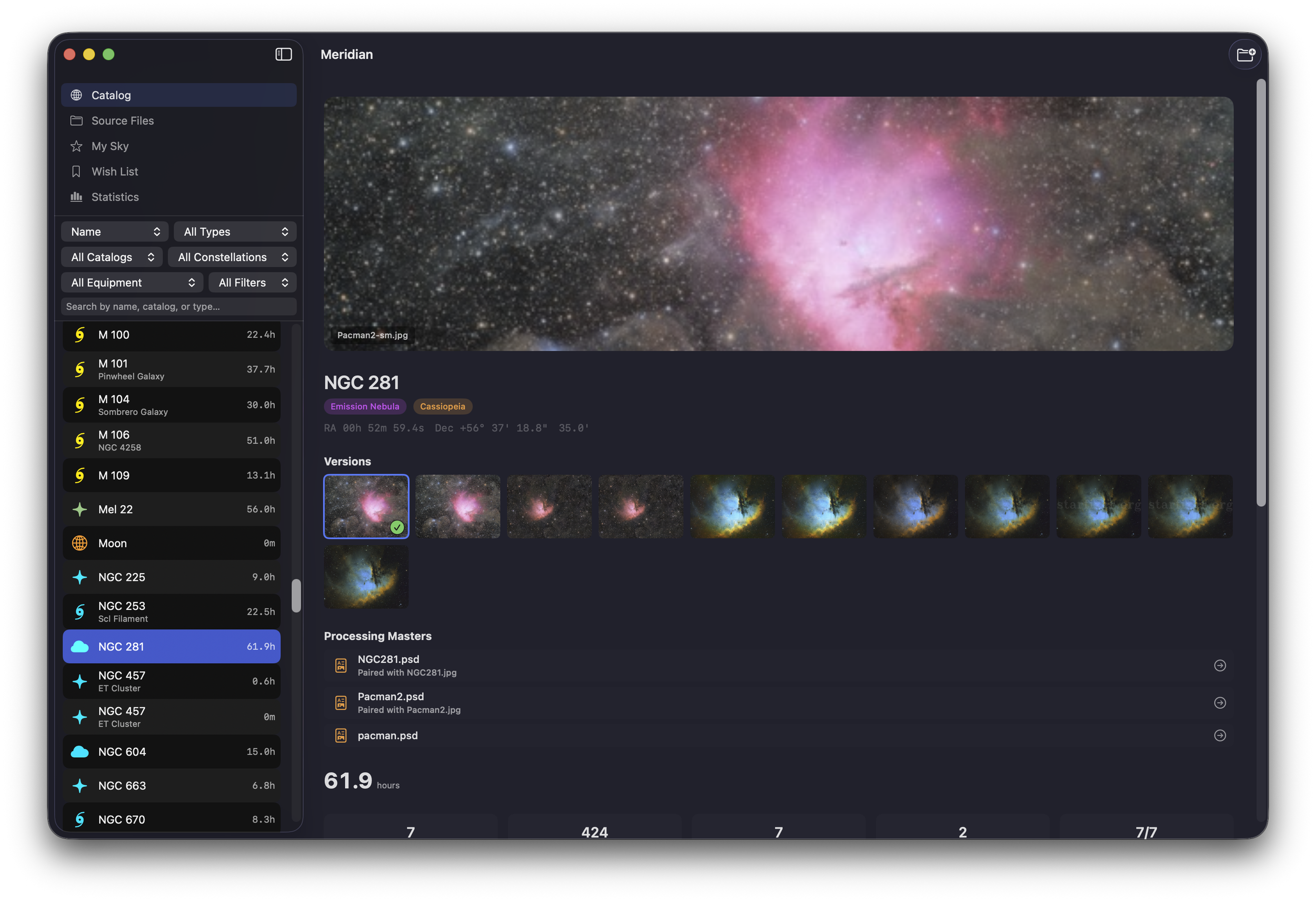
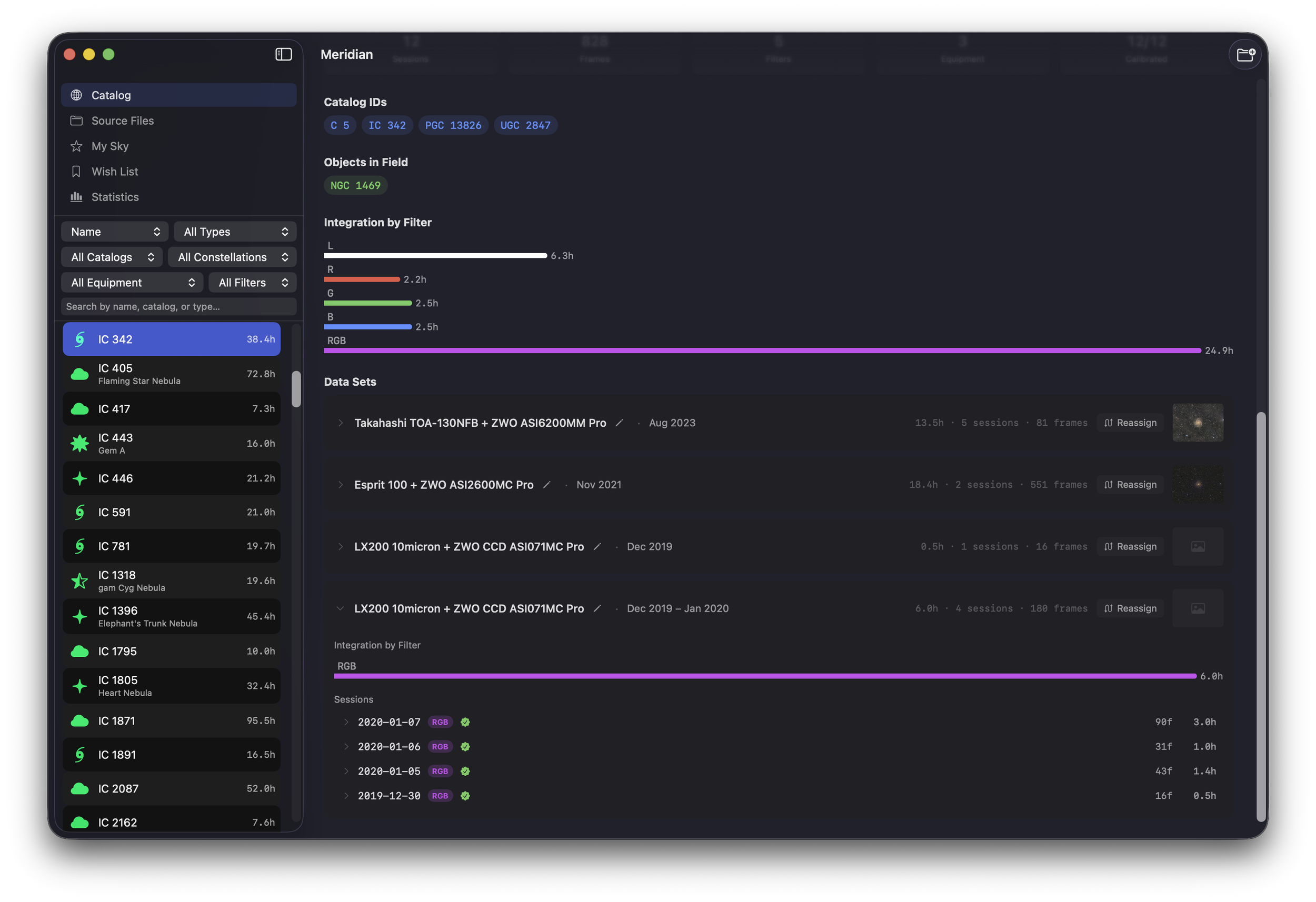
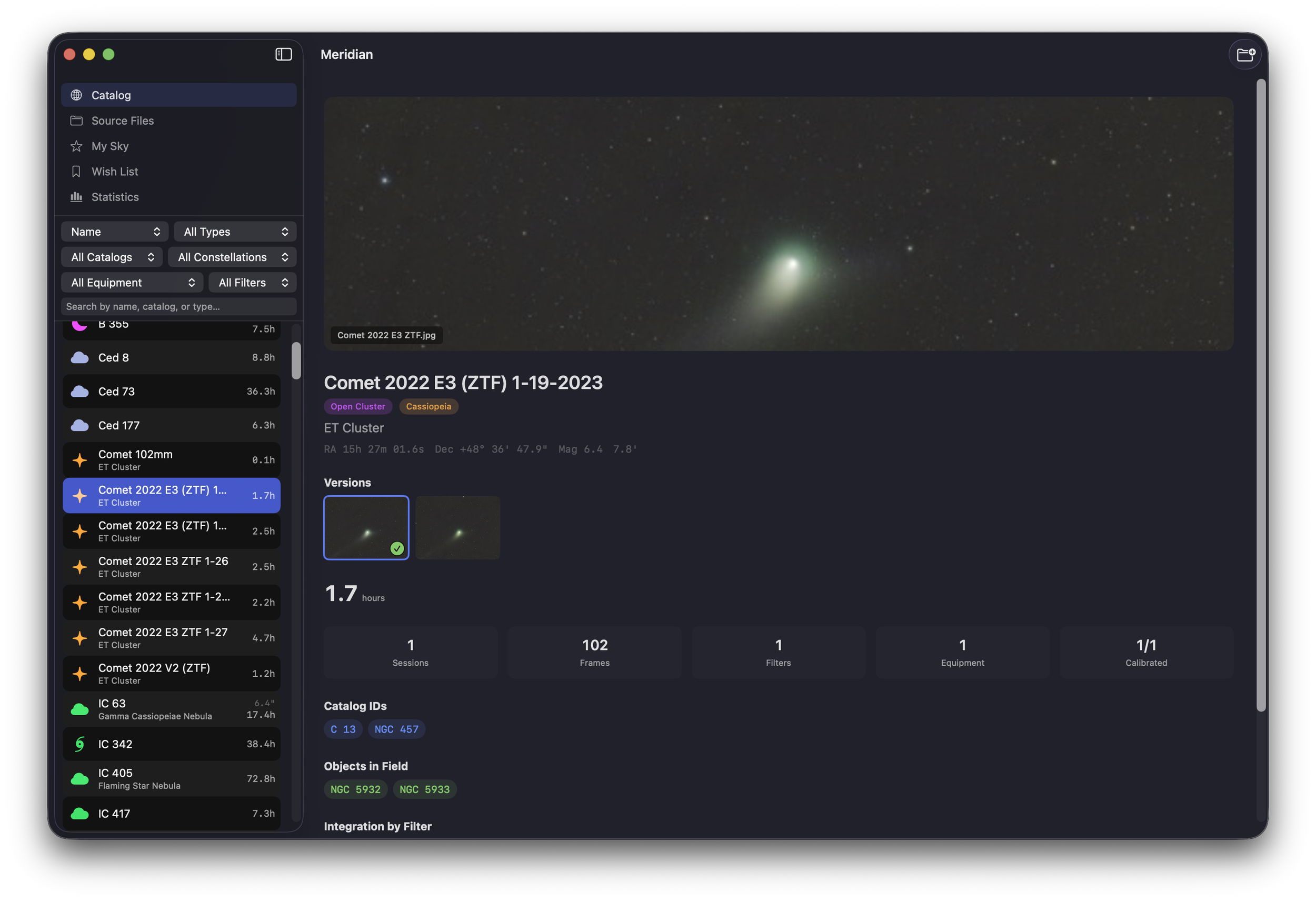
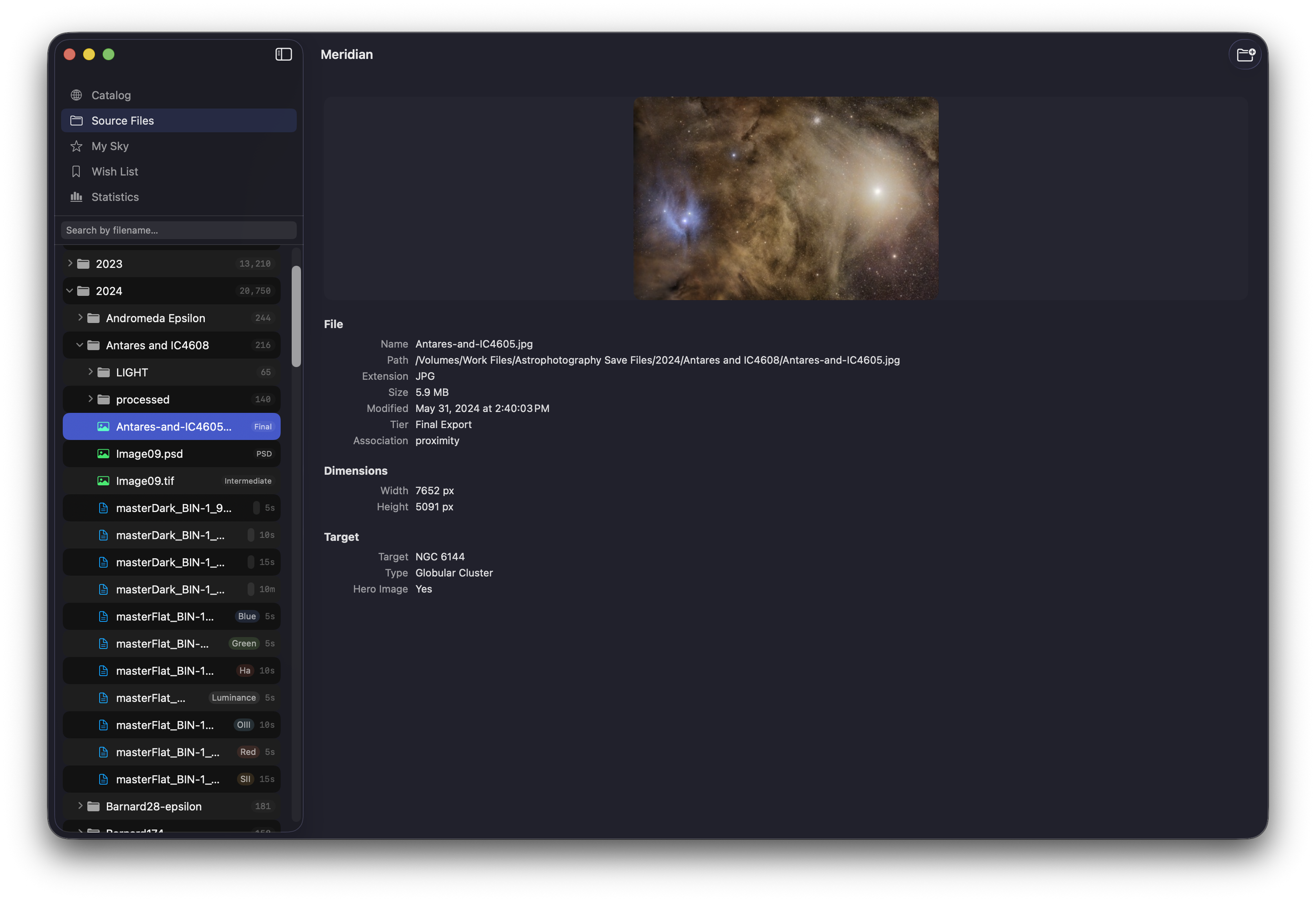
The Catalog View organizes your archive by astronomical object. Each target shows your best processed image as the hero — or an auto-stretched FITS preview if you haven't processed it yet. Below that: total integration, per-filter breakdown, session history across years, and every equipment setup you've used.
Sort by hours, constellation, type, or last imaged date. Filter by equipment to answer "what have I shot with this telescope?" Use ⌘K for universal search across your entire archive.
IC 342 — 3 telescope setups across 5 years of imaging
Session Planning
Know what to shoot tonight — before you set up.PRO
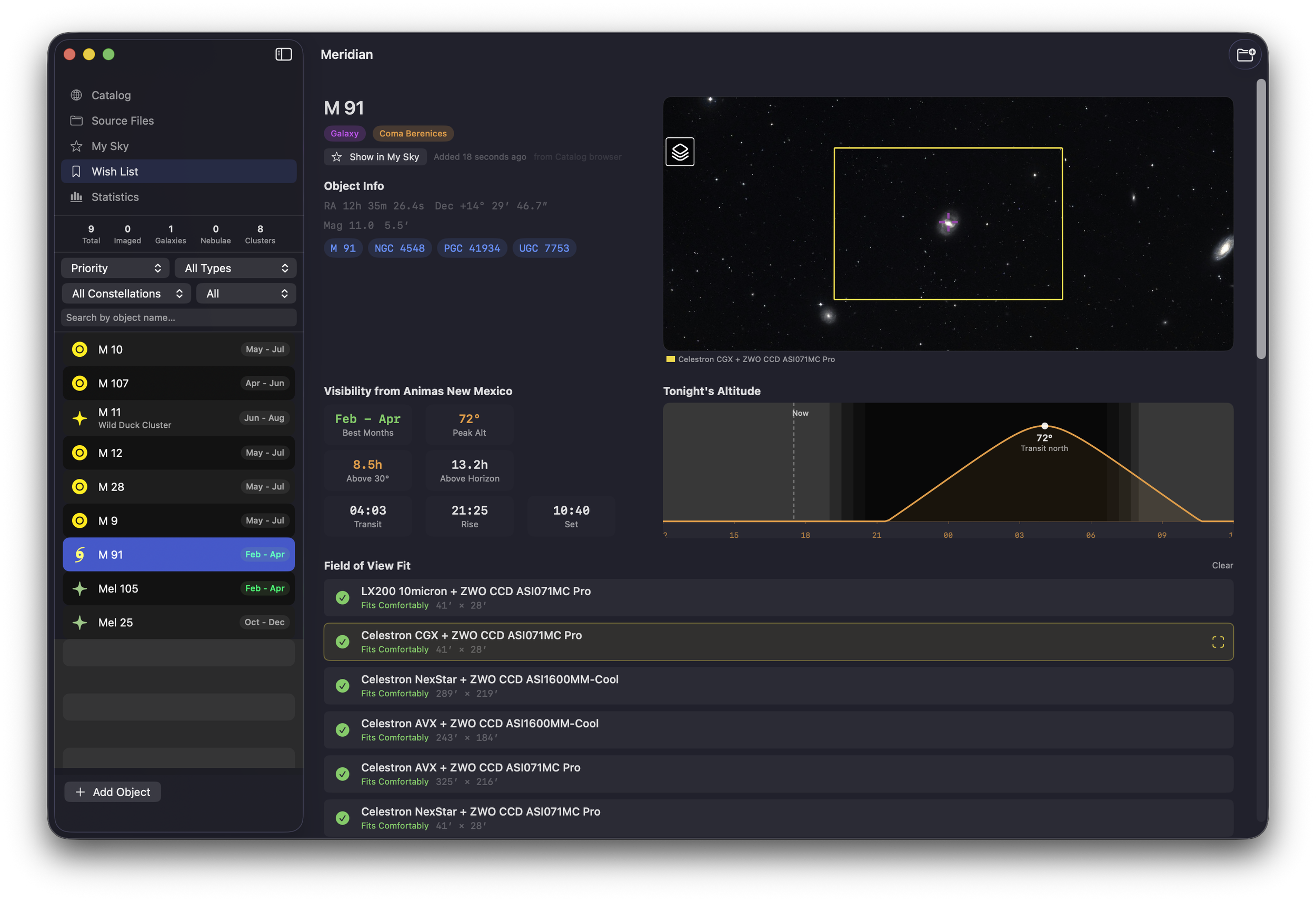
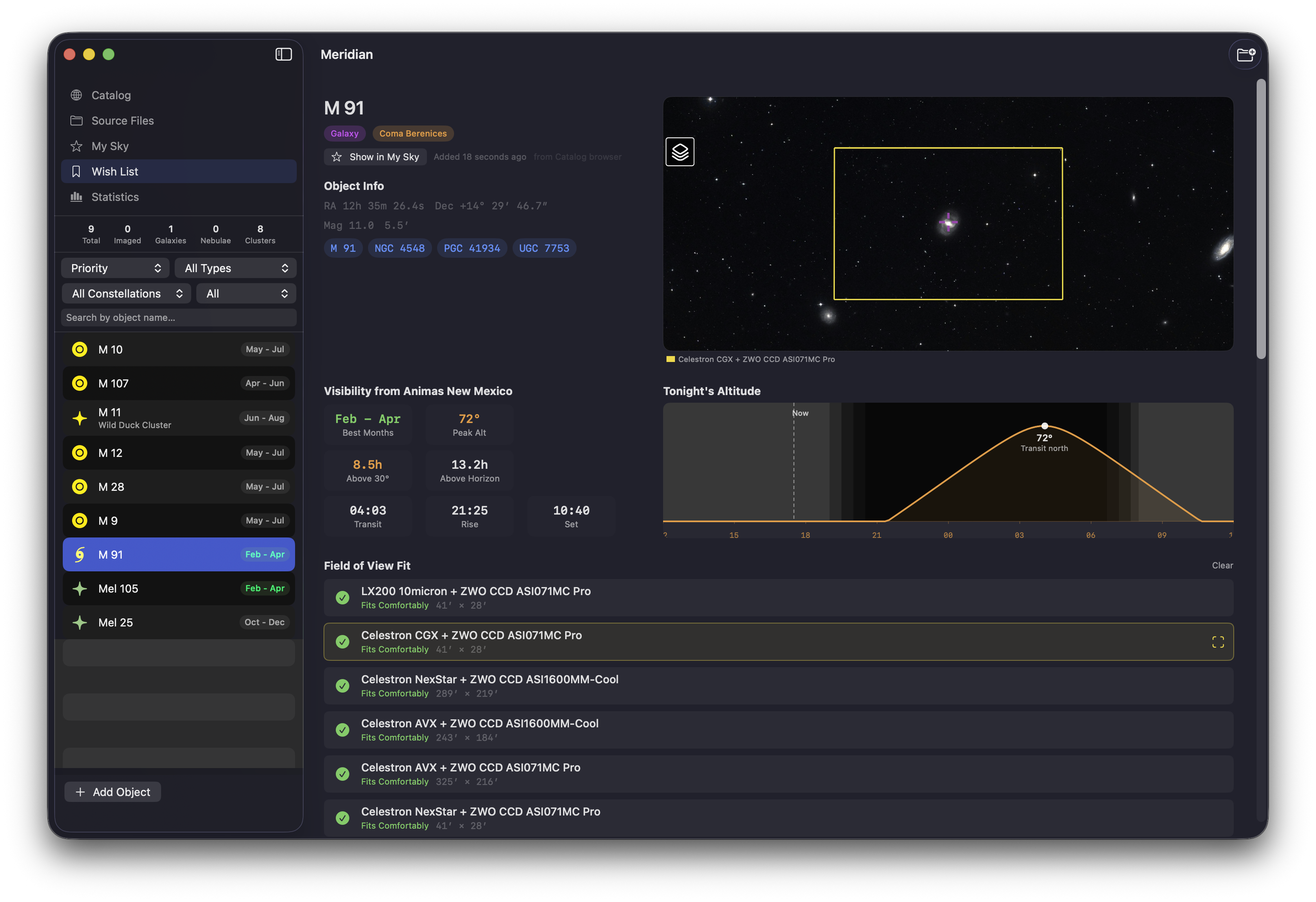
Save targets from the sky browser into a persistent Wish List. Each item shows visibility computed for your observing location: best months, peak altitude, hours above 30°, transit time, and rise/set times. A 24-hour altitude chart shows exactly when your target peaks.
Compare FOV fit across all your equipment profiles — "Fits Comfortably," "Tight Fit," or "Mosaic Needed" — computed from your sensor and focal length for each setup.
M 91 — Wish List entry with altitude chart and FOV fit
Built for your Mac
Native macOS deep sky catalog with SwiftUI and SwiftData.
Meridian is built in Swift and SwiftUI, following Apple's design patterns. It runs natively on Apple Silicon with SwiftData for persistence and Metal-ready image rendering. Dark mode throughout — because astrophotographers work in the dark. Proper keyboard shortcuts, menu bar integration, and a Finder Quick Look extension that works even when the app isn't running.
Catalog, Analyze & Explore
Statistics, sky mapping, and everything else.
Everything you need to understand your deep sky imaging archive.
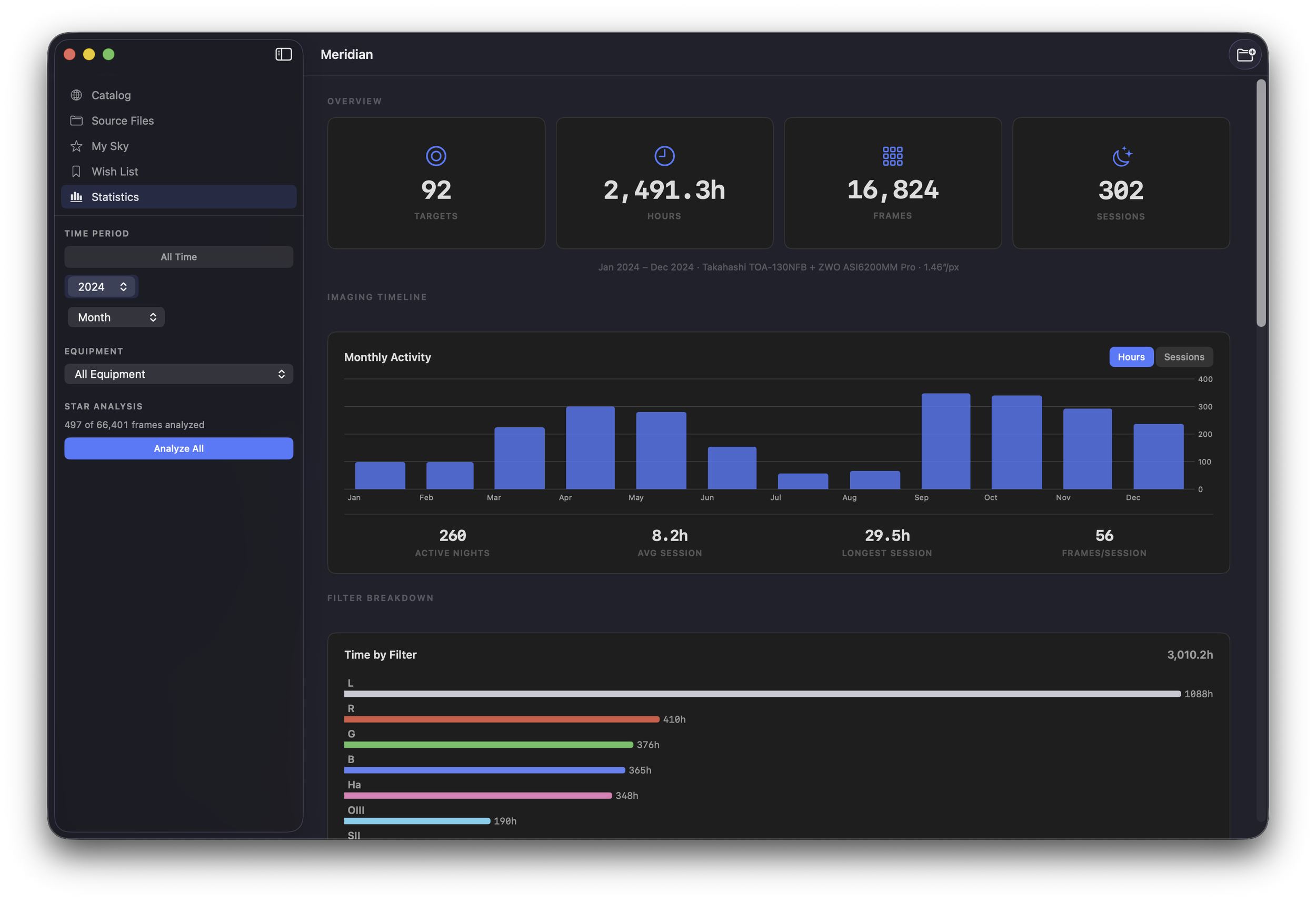
Statistics DashboardPRO
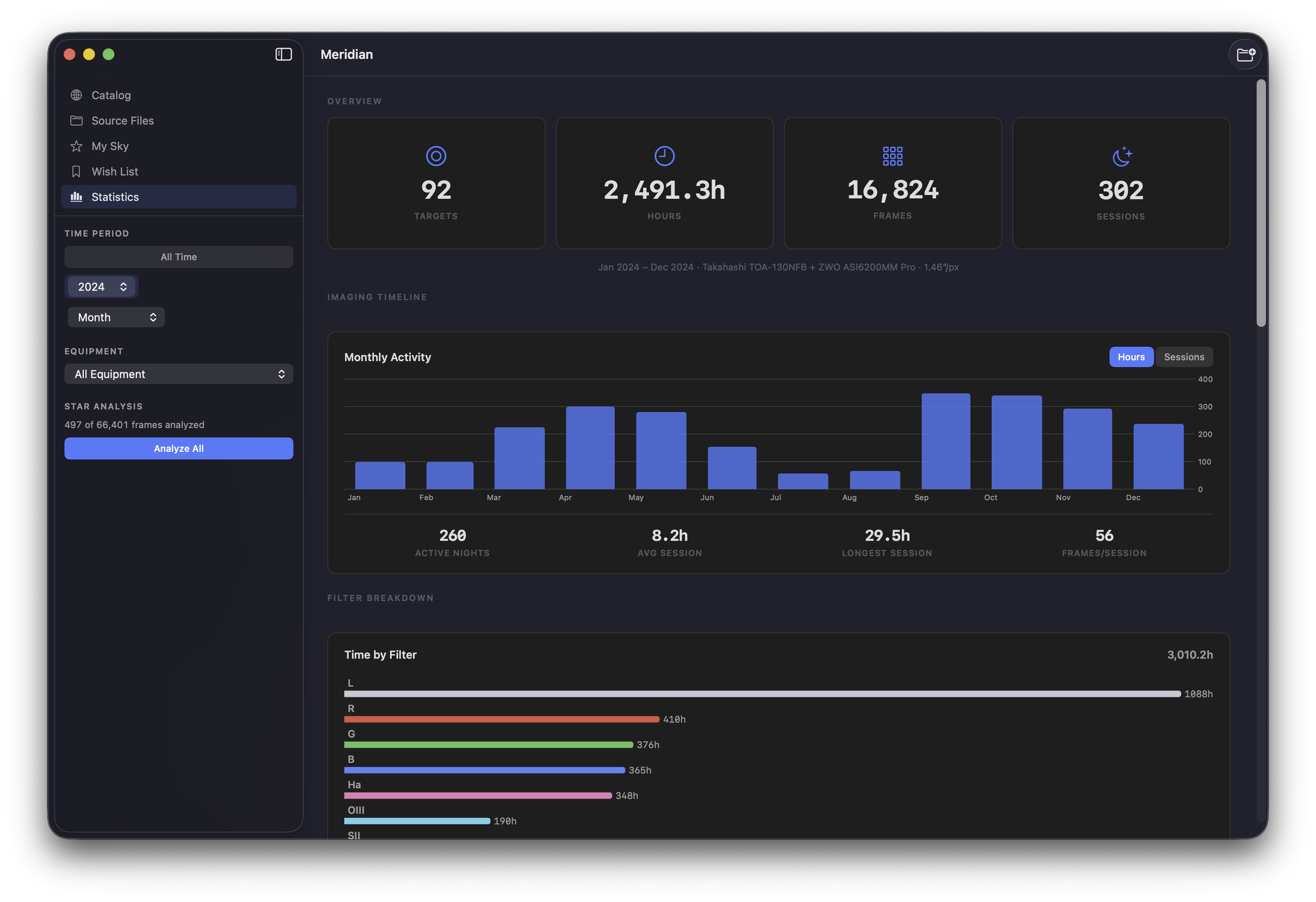
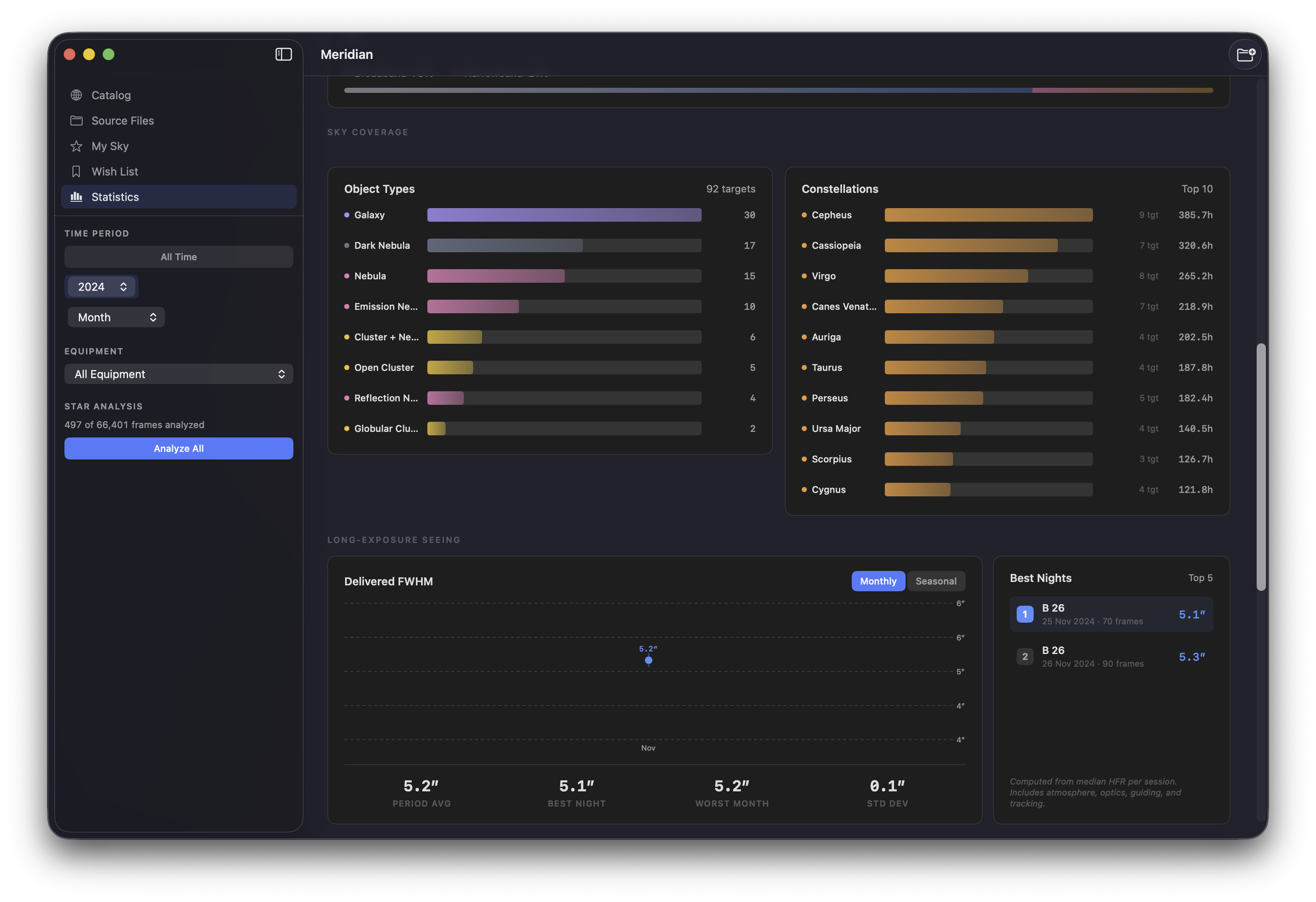
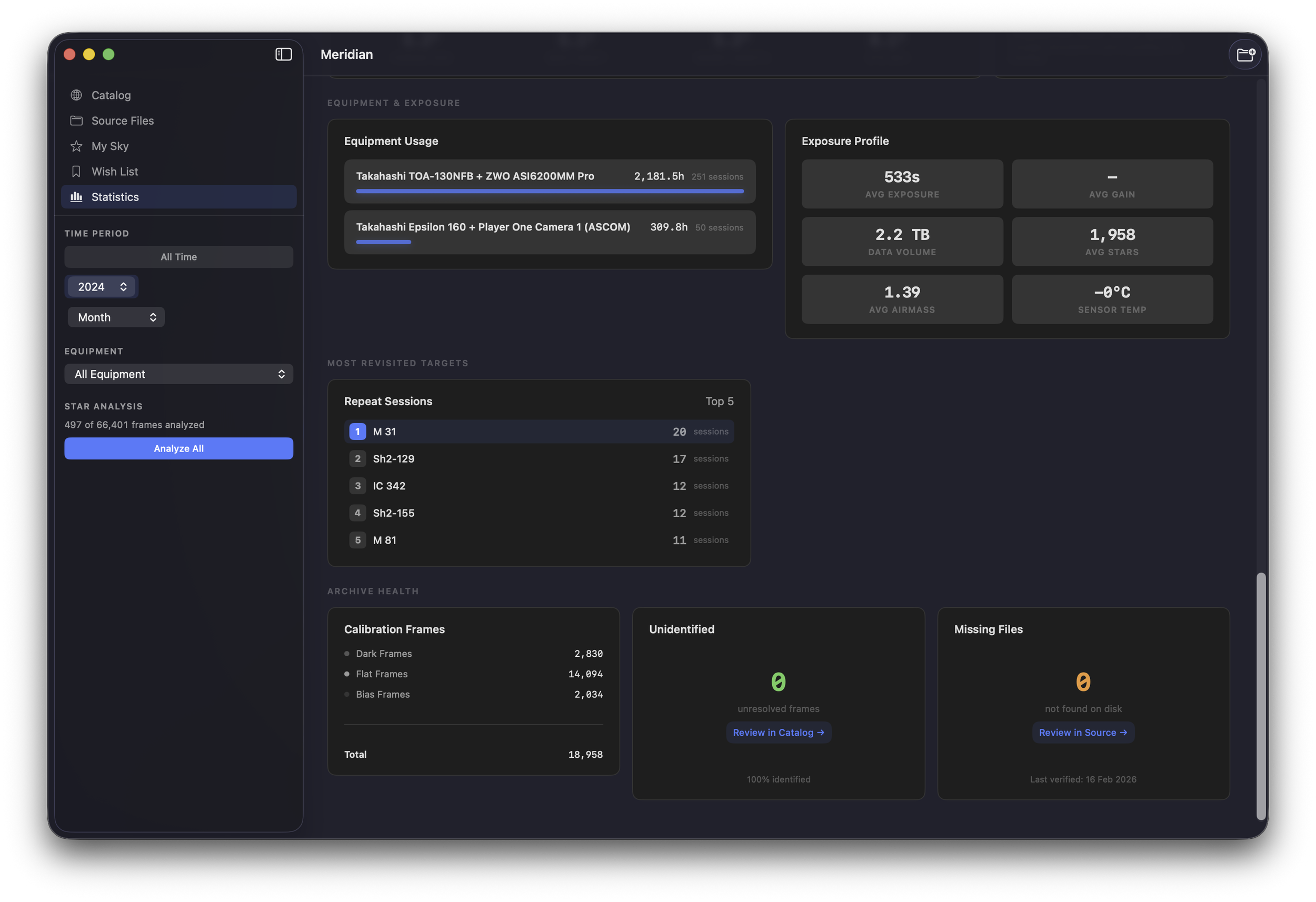
Eight sections of archive analytics: grand totals, imaging timeline, filter breakdown, sky coverage, seeing quality, equipment usage, most revisited targets, and archive health.
Interactive Sky MapPRO
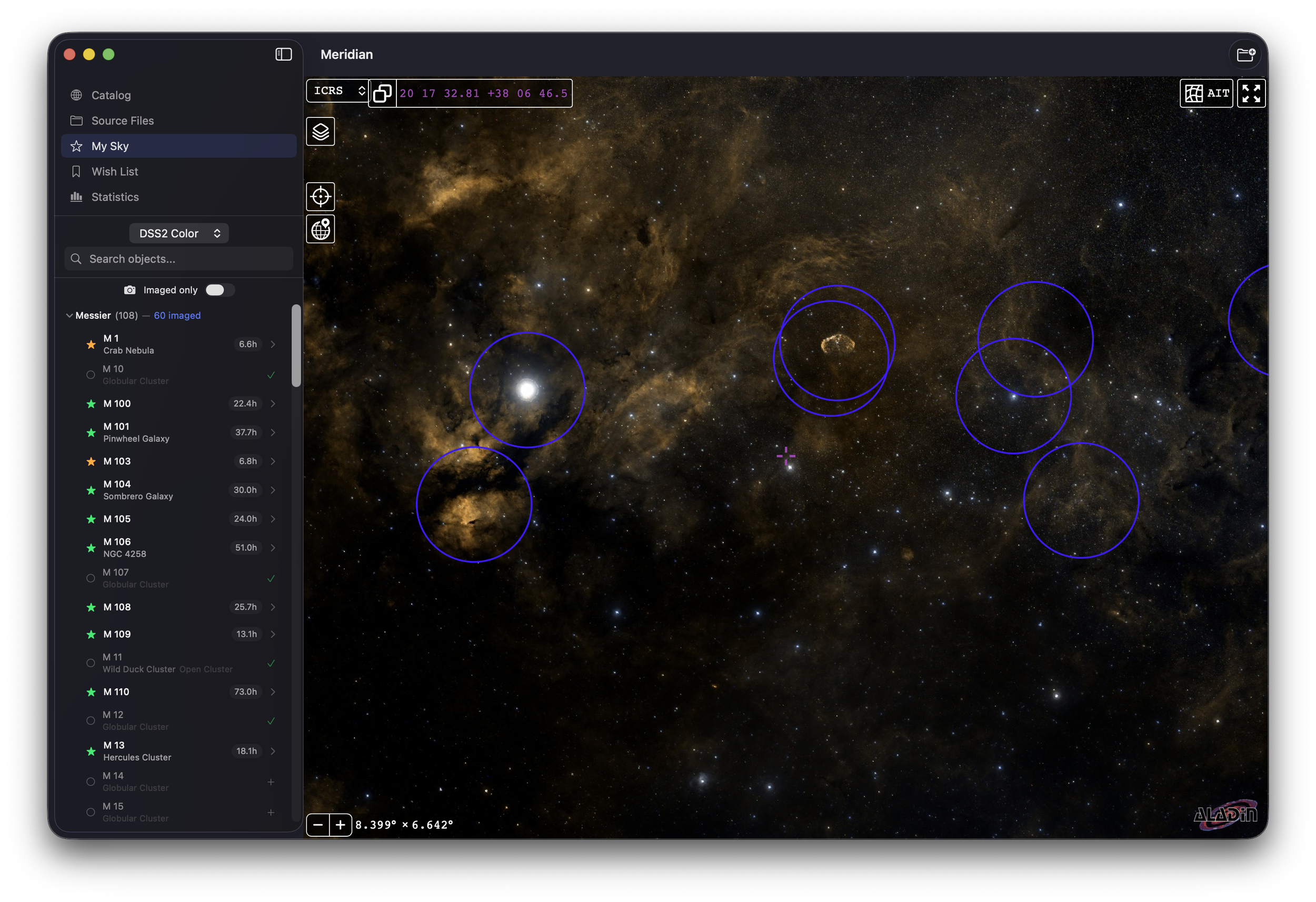
Your imaging history projected onto the sky via Aladin Lite. Browse all 20 catalogs, see what you've imaged vs. what you haven't. Works offline.
Quick Look Extension
Press Space on any FITS or XISF in Finder — auto-stretched preview with metadata. Finder thumbnails show image content. Works independently of the app.
Equipment TrackingPRO
First-class equipment entities derived from FITS headers. Filter the catalog by telescope/camera setup. Rename, merge duplicates, compare setups on the same target.
Star Extraction & SeeingPRO
Batch HFR/FWHM analysis with robust MAD outlier rejection. Average seeing per target, best nights ranking, monthly and seasonal trend charts.
Live File Watching
FSEvents monitoring on all watched folders. New files from overnight sessions or Dropbox syncs detected automatically. External drives reconnect gracefully.
Plate SolvingPRO
Identify orphaned JPGs with no metadata by solving their sky coordinates. Built-in solver with Astrometry.net cloud fallback. Links processed finals to catalog targets.
Auto-Stretched Thumbnails
Linear FITS/XISF data made visible with the Midtone Transfer Function. Every light frame gets a preview — lights-only targets look beautiful without processed finals.
Strictly Read-Only
Meridian never modifies, moves, or renames your files. Your archive is sacred. The database rebuilds from source at any time. Missing files flagged, never removed.
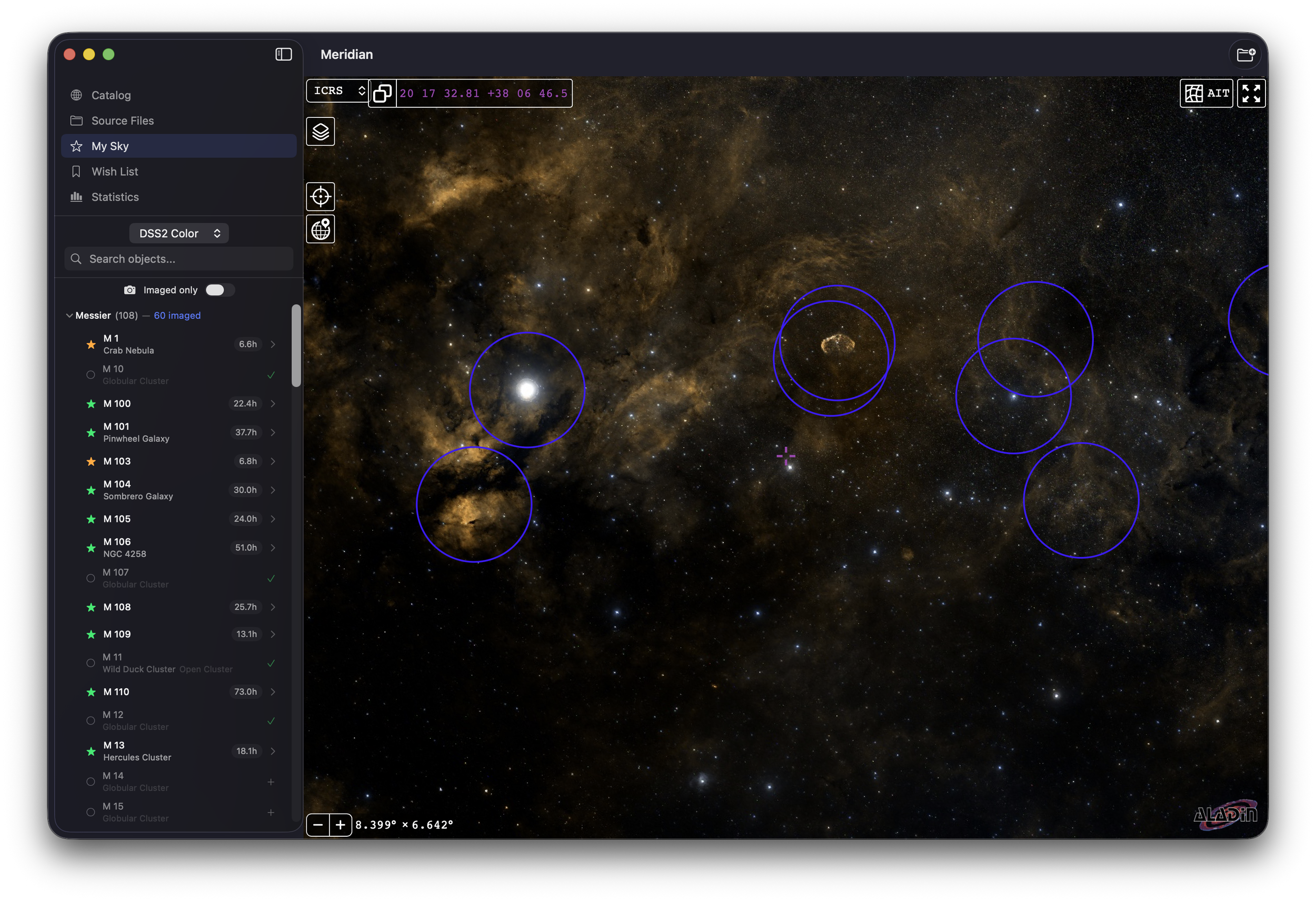
See every target you’ve imaged. Add missing targets to your wish list.
Compatibility
FITS, XISF, and your processed finals.
Supported Formats
System Requirements
Pricing
Free to catalog. One purchase to unlock everything.
Download Meridian for macOS.
Start cataloging your imaging archive tonight. Free to use, with a one-time Pro upgrade when you need it.
Requires macOS 14 or newer and an Apple Silicon Mac. Free with optional Pro upgrade.
Meridian F.A.Q.
-
A: No. Meridian requires an Apple Silicon Mac (M1, M2, M3, or M4) running macOS 14 (Sonoma) or later. The app is built natively for Apple Silicon using Swift, SwiftUI, and SwiftData.
-
A: Never. Meridian is strictly read-only. It reads FITS/XISF headers to build its catalog database, but it never modifies, moves, renames, or deletes any of your original files. The database can be rebuilt from your source files at any time.
-
A: Meridian Free includes full archive scanning, the Catalog View with target detail, Source File browser, auto-stretched thumbnails, object name resolution across all 20 catalogs, final image association, Quick Look extension, and live file watching. Meridian Pro is a one-time purchase of $34.99 that unlocks the interactive sky map, Wish List with visibility planning, the full Statistics Dashboard, star extraction and seeing analysis, equipment management, plate solving, Core Spotlight integration, and multi-site observer locations.
-
A: Yes. Meridian is specifically designed for the NINA workflow — most astrophotographers capture on Windows and process on Mac. Meridian reads the FITS and XISF files NINA produces, including all the metadata NINA writes to headers (object name, filter, equipment, coordinates, temperature, gain, and more).
-
A: For a typical archive of a few thousand files, the metadata scan completes in a few minutes. Thumbnail generation runs as a separate background pass afterward. For very large archives (50,000+ files), the initial scan may take longer, but the app is fully usable while scanning — objects appear in the catalog as they're discovered.
-
A: Yes. Meridian supports scanning multiple folders across local drives, external drives, and cloud-synced folders like Dropbox. External drives are handled gracefully — if a drive is disconnected, Meridian marks it as unavailable and resumes monitoring when it's reconnected.
-
A: Once Meridian is installed, pressing Space on any FITS or XISF file in Finder shows an auto-stretched preview with key metadata (target name, filter, exposure, camera, temperature). Finder thumbnails also update to show actual image content. The Quick Look extension works independently — even when Meridian isn't running.